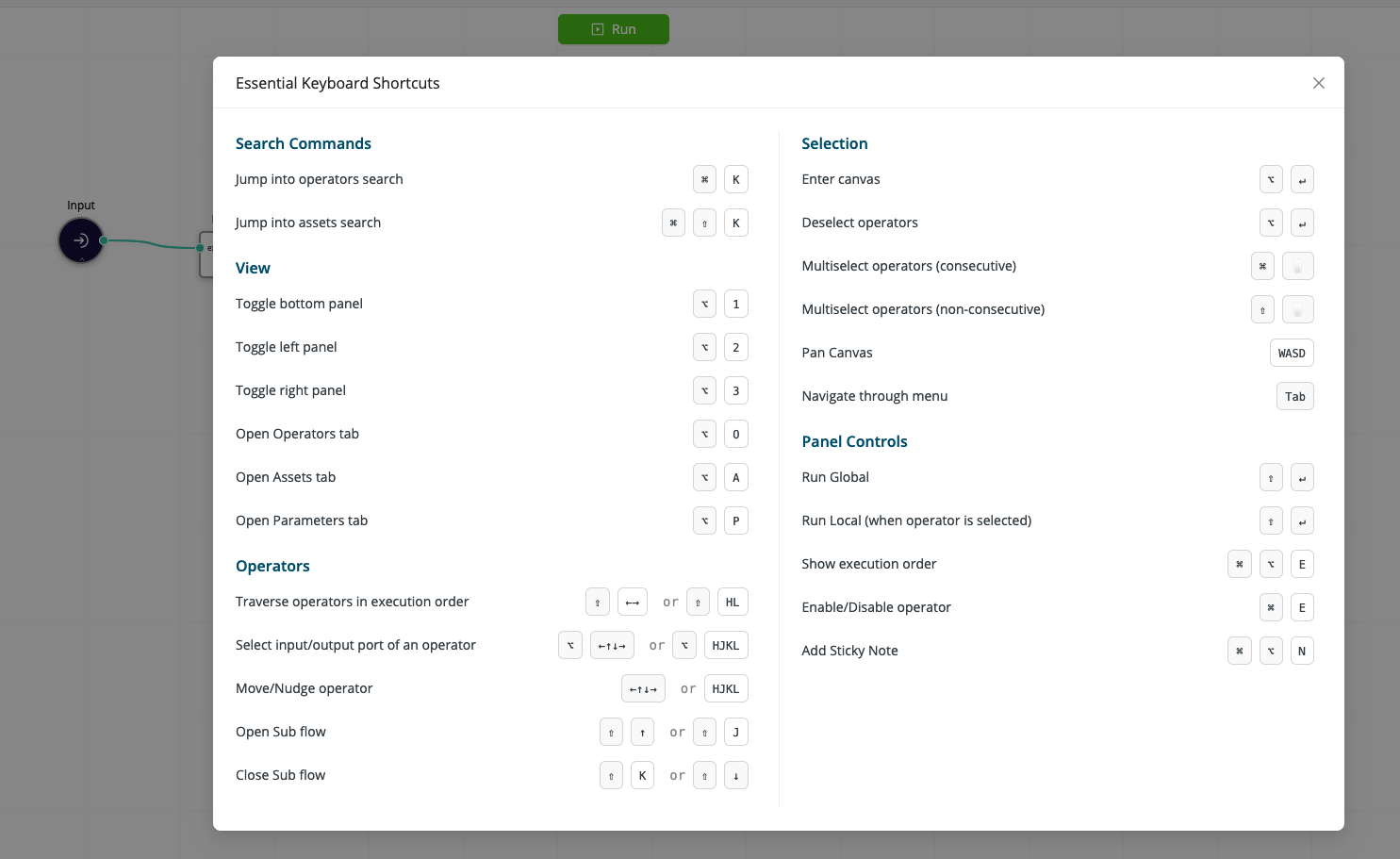
Keyboard Shortcuts
Workflow Studio supports a variety of keyboard shortcuts (hotkeys) to help you work more efficiently and streamline your workflow building experience: whether you're navigating through different panels, searching for operators, or managing your canvas, these shortcuts are designed to make your tasks easier and faster.
There are shortcuts for both PC and Mac users, ensuring that everyone can benefit from these time-saving features. Shortcuts are categorized based on their functionality, such as general navigation, canvas interaction, execution control, and operator management.
How to access?
The keyboard shortcuts can be accessed directly within the Workflow Studio interface. You can find a comprehensive list of shortcuts by clicking on the canvas control menu item located at the bottom-left corner of the canvas area (most right icon).

This opens a dialog displaying all available keyboard shortcuts, organized by category for easy reference.