What's new in Q1 2026
- MCP Server support for Workflows and Agents
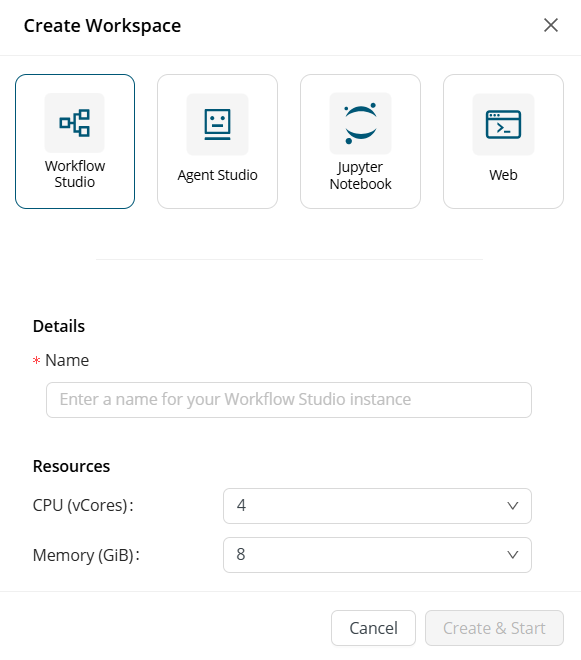
- Workflow Studio as a Workspace
- Data rendering and visualization improvements
- Rapidminer model support in Model Registry
- Seamless Tableau integration for faster insights
- Simplified user-level authentication via OAuth
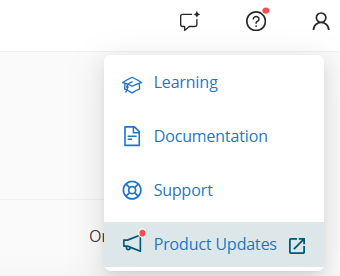
- New product updates page
MCP Server support for Workflows and Agents
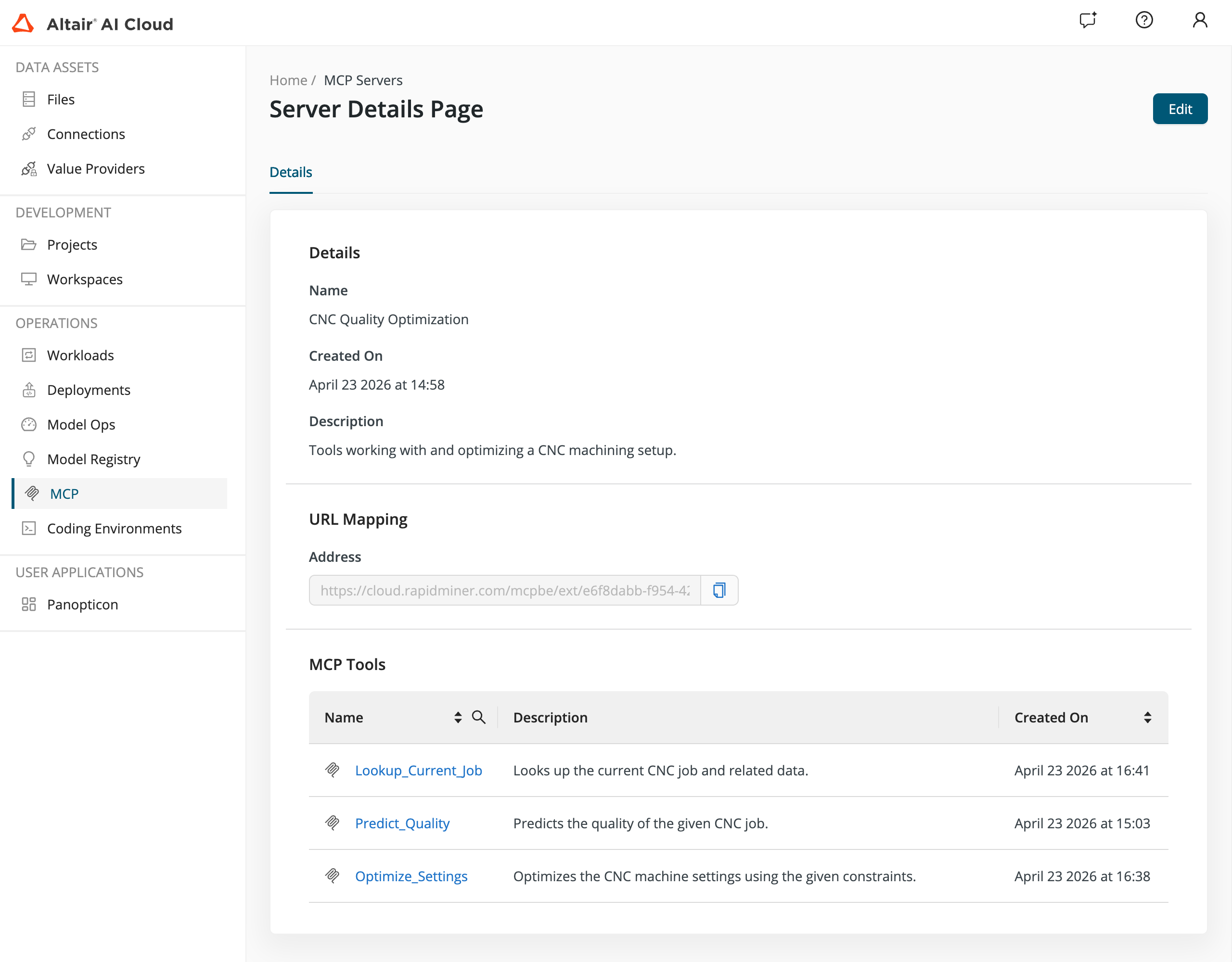
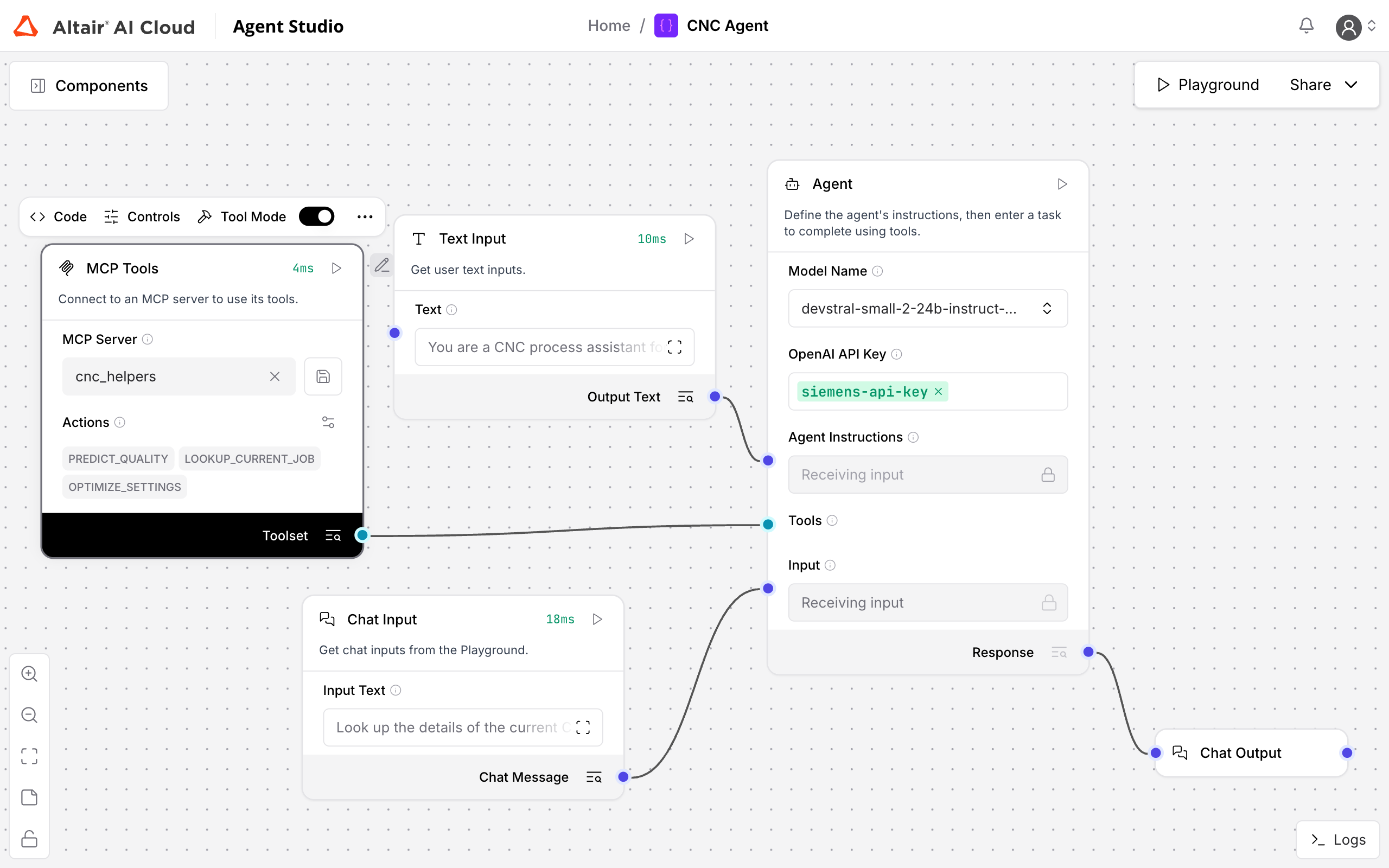
AI Cloud now supports the Model Context Protocol (MCP), letting you expose your workflows and agents as MCP tools that any compatible AI client or orchestration framework can call. This bridges classical machine learning and data engineering with modern agentic ecosystems, all from a single platform.
- MCP server configuration: Define and manage custom MCP servers, each exposing one or more workflows or agents as callable tools
- Workflow & agent exposure: Publish any workflow or agent as an MCP tool, making it accessible to external AI clients and orchestration frameworks
- Agent Studio integration: Design agentic workflows visually using Agent Studio, composing MCP tools alongside standard operators
- Unified pipelines: Combine classical ML, data engineering, and agentic steps within the same workflow
Workflow Studio as a Workspace
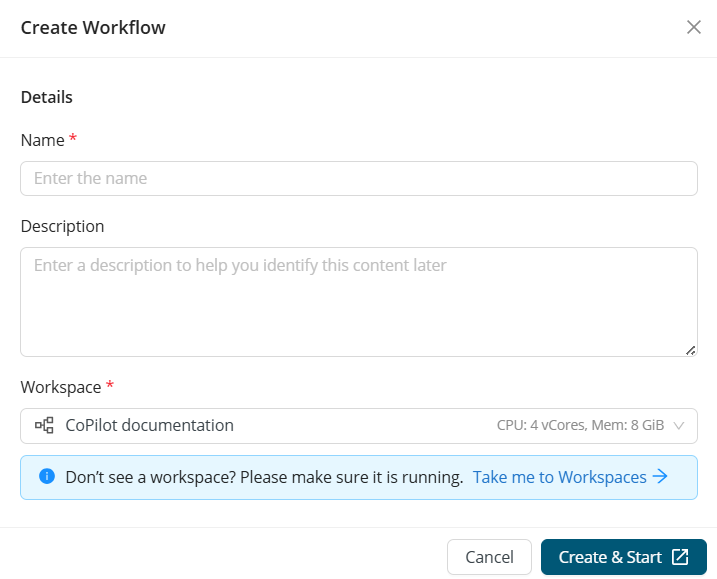
Workflow Studio is now available as a dedicated workspace type within Workspaces, providing a more structured and scalable environment for building and running workflows.
- Workflow Studio requirement: At least one workspace is required to run workflows
- Configurable resources: Allocate compute resources per workspace (default: 4 CPU, 8 GB memory), now scalable up to 32 GB
- Multiple workspaces: Create and manage multiple Workflow Studio workspaces
- Flexible workspace creation: Workspaces can be created outside the project view
Data rendering and visualization improvements
We made data and model outputs easier to read and understand:
- Clear and consistent rendering of edge-case and non-standard data values
- Easier validation of text analysis inputs and outputs with Document visualization
- Better understanding of models with built-in visual representations
- Reduced confusion and faster debugging across workflows
Enhanced table rendering: Improved handling of special and edge-case values to ensure consistent interpretation in data tables

Document visualization: Added native rendering for Document objects in text analysis workflows, replacing raw JSON views

Advanced model visualizations: Introduced visualizations for H2O Deep Learning, Gradient Boosted Trees, and Generalized Linear Models
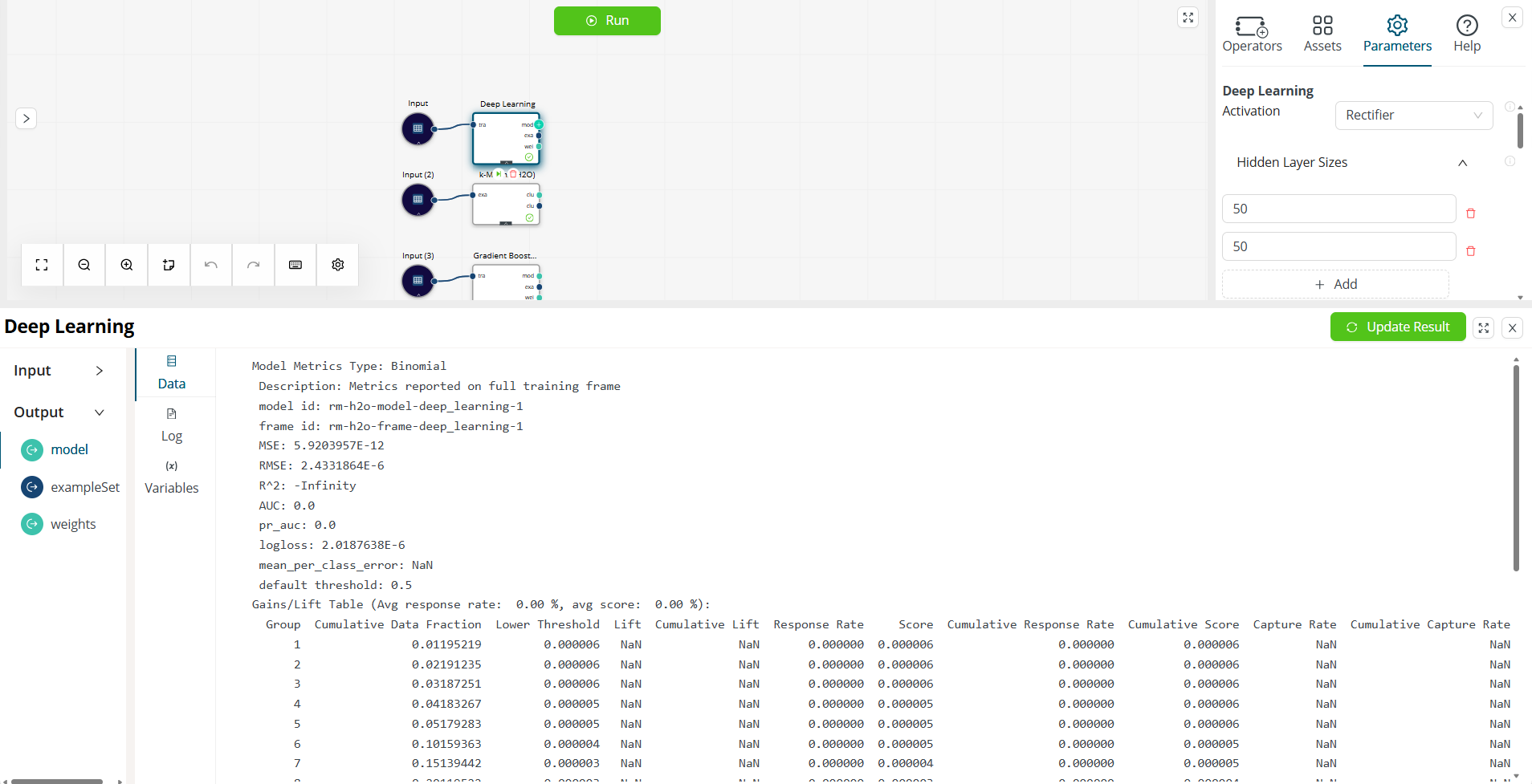
Basic model visualization support: Enabled visualizations for simpler models such as Linear Regression in Workflow Studio and the project catalog
Rapidminer model support in Model Registry
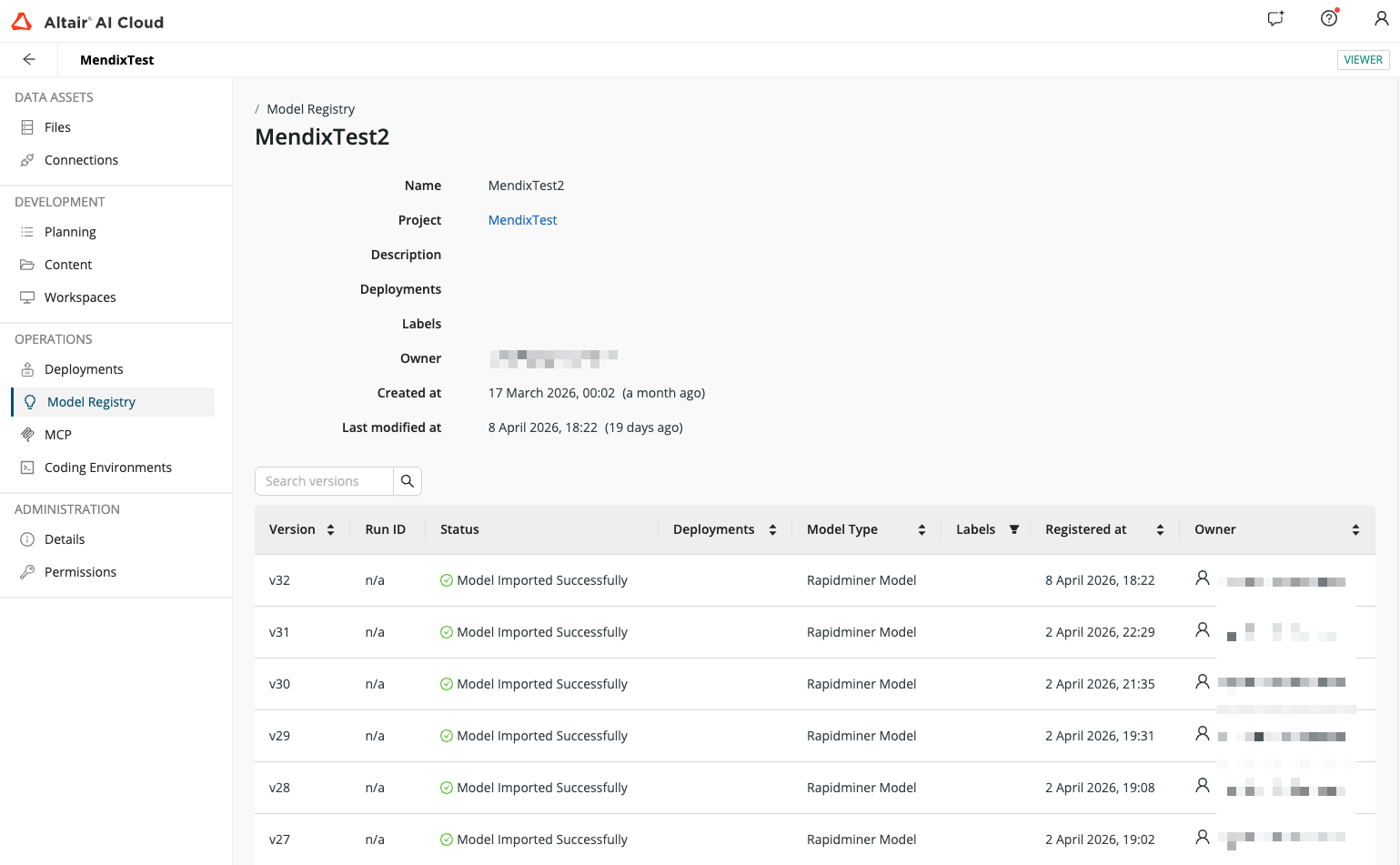
The Model Registry now supports models trained in Workflow Studio, bringing Rapidminer models into the same centralized registry experience.
- Save models trained in Workflow Studio directly to the Model Registry using the Store Model operator
- Import registered models back into any workflow using the Retrieve Model operator
- Deploy Rapidminer models directly from the Model Registry
Seamless Tableau integration for faster insights
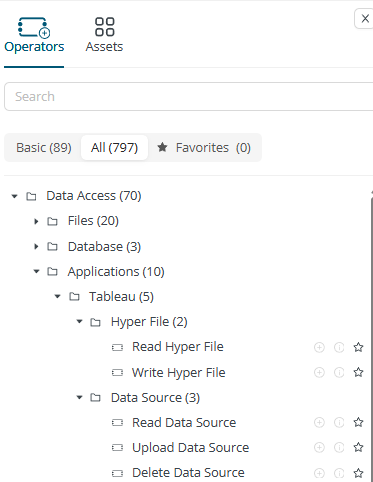
AI Cloud now connects your data workflows directly to Tableau server. This helps in
- Moving data between Rapidminer AI Cloud and Tableau with ease
- Prep data in Rapidminer and publish it directly as clean Tableau data sources.
- Manage your Tableau Data sources from your workflows
The Tableau extension provides powerful operators and secure connections for interacting with Tableau server.
Core functionality:
- Read/write Hyper Files: Efficiently transfer data using Hyper Files.
- Read Data Sources: Access existing Tableau Data sources.
- Upload Data Sources: Publish Rapidminer data as new Tableau Data sources(with create, override, append options).
- Delete Data Sources: Remove Data sources from the Tableau server.
Connection:
A new Tableau connection type supports secure Username/password or Personal Access Token (PAT) authentication

Simplified user-level authentication via OAuth
OAuth connections now separate admin-level configuration from user-level authentication, making the experience cleaner for everyone.
- OAuth client configuration (Value Provider): Administrators can define reusable OAuth clients once and make them available across multiple connections
- User-level authentication: Users select a pre-configured OAuth client and authenticate personally, without needing any admin-level details
New product updates page
A single place to stay up to date with product changes:
- Updates Page: New updates page accessible from the Help menu
- Update Indicator: Red dot notification highlights when new updates are available