What's new in Q4 2025
- New AI Delivery and ML Ops video lesson available in 'Getting Started with AI Cloud' courseware
- New 'Troubleshooting for Administrators in AI Cloud' courseware available
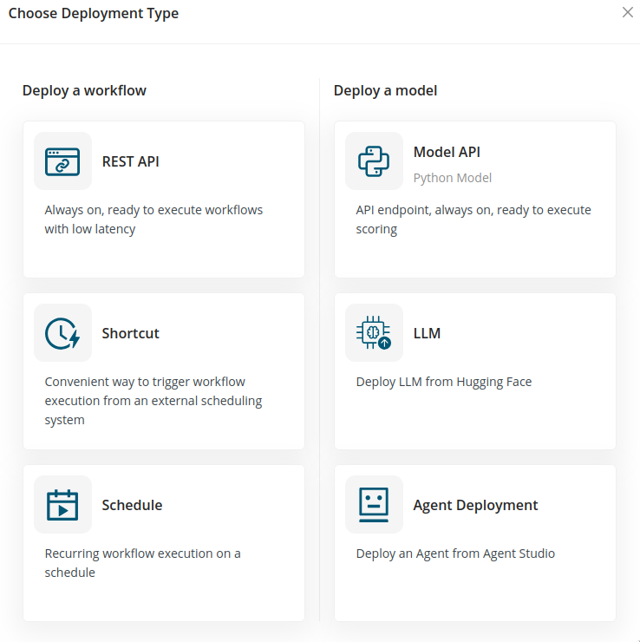
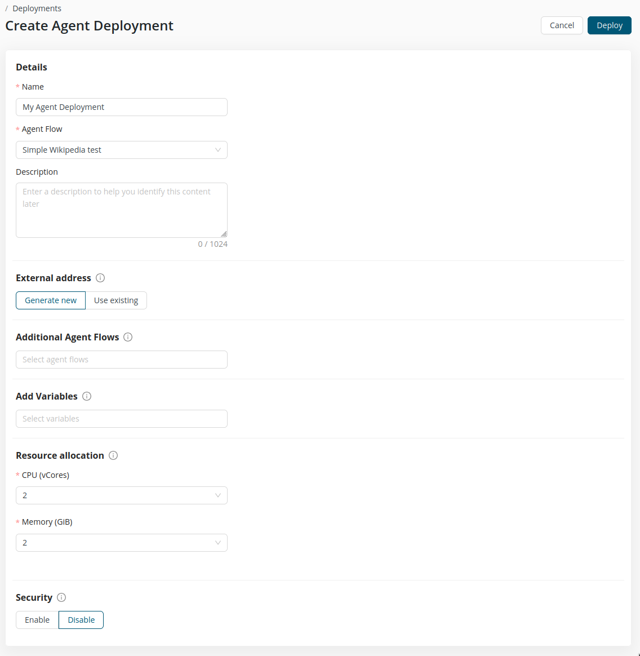
- From Agent Studio to Production: Agent Deployments (v1)
- Workflow Studio usability and reliability improvements
- Python Scripting extension updates
- Reduced SharePoint scope requirements
- Duplicate & Copy project content
New AI Delivery and ML Ops video lesson available in 'Getting Started with AI Cloud' courseware
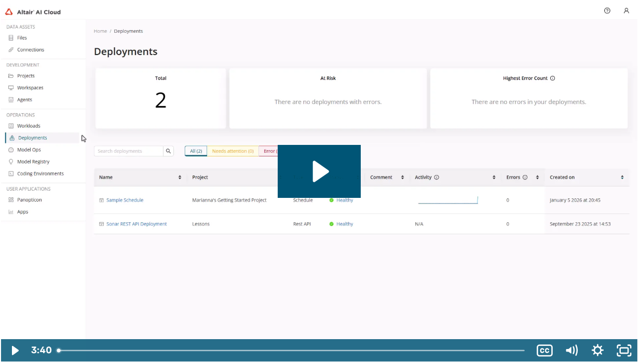
Learn how to deploy, schedule, automate, and monitor workflows in AI Cloud, including tracking execution and deployment status.
New video lesson covers how to:
- schedule workflows for recurring execution,
- monitor deployed workflows and track their performance, and
- deploy workflows using REST API for external integration.
New 'Troubleshooting for Administrators in AI Cloud' courseware available
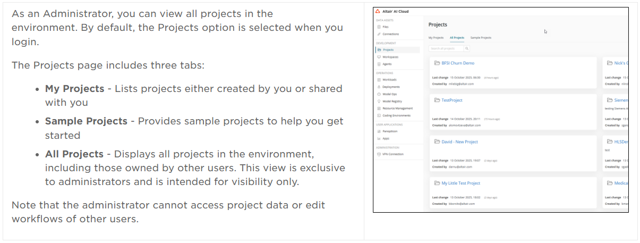
This module equips administrators with the essential knowledge and skills to monitor and troubleshoot AI Cloud effectively.
Learners will gain hands-on experience in:
- monitoring workloads,
- resolving errors,
- analyzing system behavior,
- optimizing resources, and
- addressing common issues to ensure platform reliability and efficiency.
From Agent Studio to Production: Agent Deployments (v1)
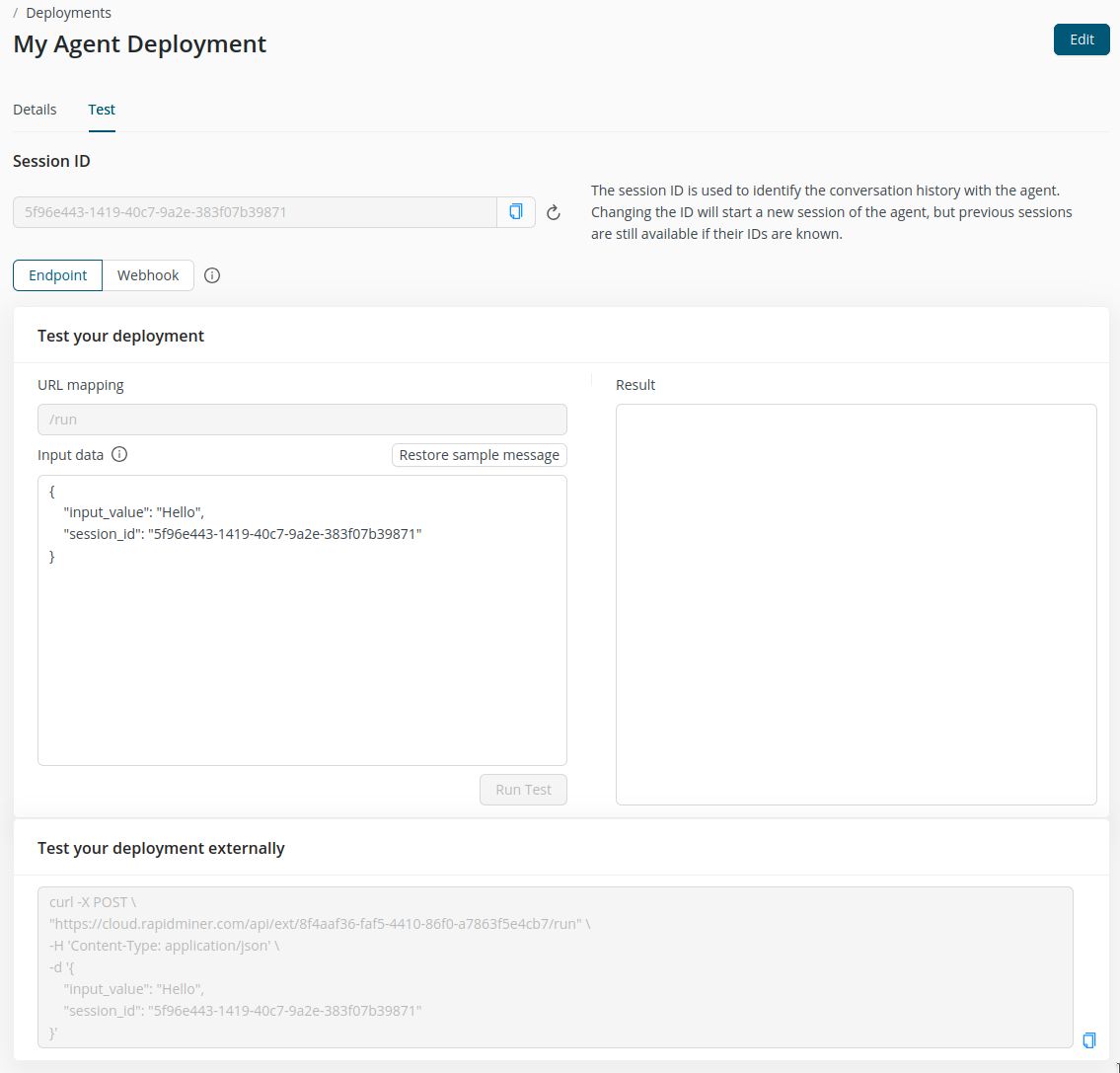
Agent deployments bridge the gap between agent creation and real-world usage by making Agent workflows deployable as callable services. This enables customers to integrate agents into external systems and automation pipelines without reimplementation, while establishing a consistent deployment foundation that supports future scaling, SDK-based consumption, and broader platform ecosystem adoption.
- Agent deployments let you deploy agent workflows from Agent Studio as externally accessible, reusable services that can be triggered via integrations or automation flows, including direct use with the Webhook component.
- In this version, deployments introduce foundational session support and a working baseline for running and iterating on workflows. This establishes the core building blocks needed for managed deployments today.
- We plan to extend this capability by adding elasticity, conversation preservation, improved data storage, and more robust asset handling, unlocking more scalable and resilient deployments in future versions.
Workflow Studio usability and reliability improvements
These updates make Workflow Studio faster and more intuitive to use day to day, while improving reliability and observability under the hood.
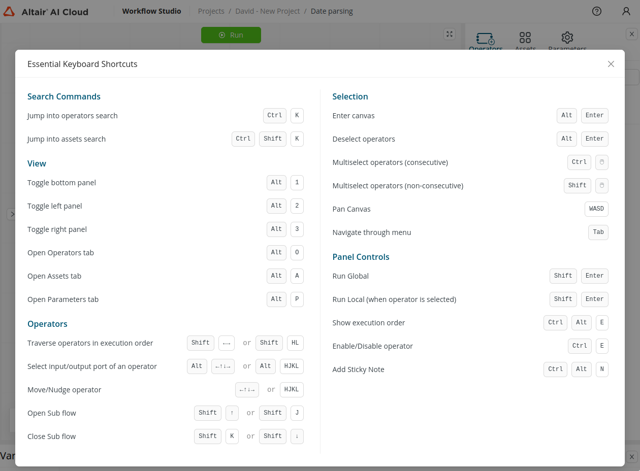
- Clearer visual guidance for available keyboard shortcuts. Read more
- Improved sticky notes, and a streamlined data panel that aligns with data- and statistics visualizations used across the platform.
- Strengthened fallback mechanisms and error handling with full OpenTelemetry integration, refreshed UI styles and icons, upgraded dependencies, and delivered a set of bug fixes to improve overall stability and consistency.
Python Scripting extension updates
Improved operator for better user experience and performance.
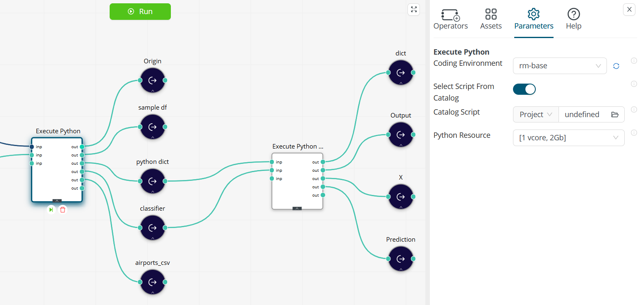
- The script file input port has now been converted to parameter. Users were mistakenly feeding data files into the old port, causing errors and confusion. The new parameter makes it clear to select the Python file from the project catalog.
- With the above changes, the Execute Python operator can accept different input types, i.e. data tables, files, Python dictionaries, giving us more flexibility on how we feed the data to the scripts
Reduced SharePoint scope requirements
Users don’t need to provide wide access to their SharePoint server, but a limited access is enough. Read more
The following permissions are required for the SharePoint connection:
- Read-Write files (Microsoft Graph → Sites.ReadWrite.All)
- Read-only files (Microsoft Graph → Sites.Read.All)
- SharePoint List access (SharePoint → AllSites.Manage)
Duplicate & Copy project content
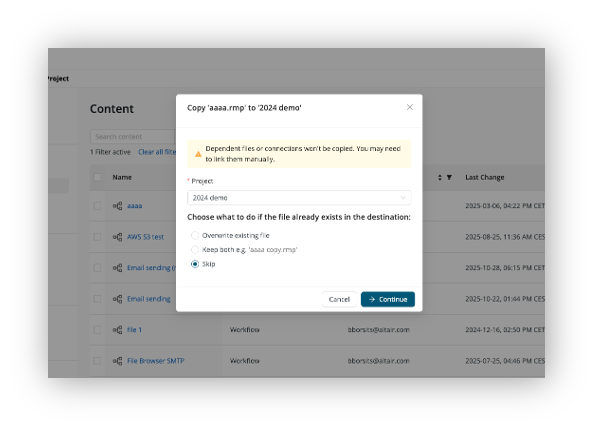
Simplified way to copy files between projects or duplicate files in a project.
Users can now copy files between their projects or duplicate them.