What's new in Q2 2025
- Introducing Agent Studio
- Panopticon integrated to AI Cloud
- New, More Intuitive UI
- Workflow Annotation
- Test page improvements for AI Cloud API deployments
- New input and output format support for API deployments
- LLM connection automatic creation
- Notebooks in Workspaces
- Security updates
Introducing Agent Studio
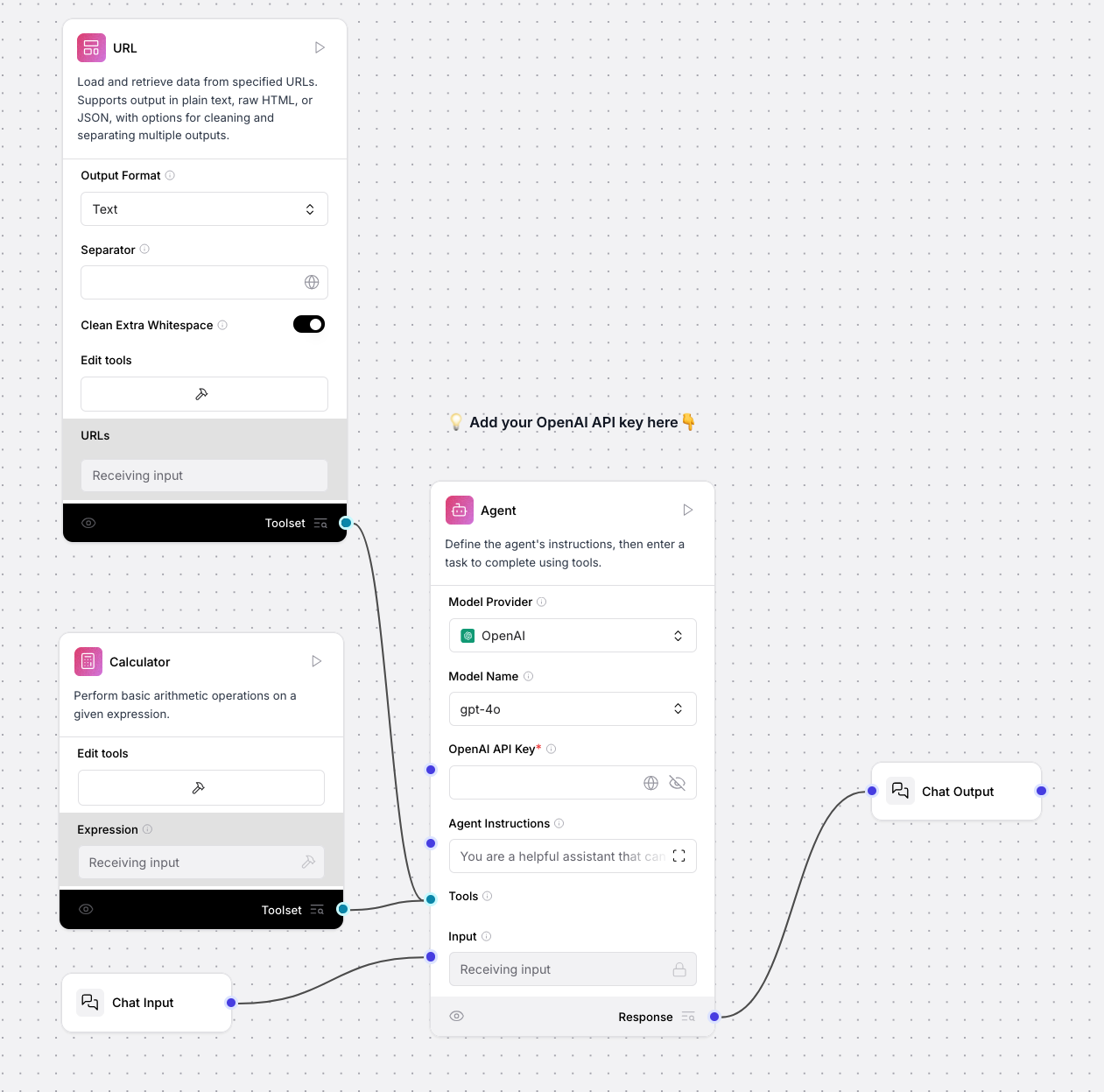
Easily build agents with a visual workflow designer. Connect and create tools that GenAI-powered agents can use for various use cases.
Users can create a new Agent Studio instance and then open the Agent builder and start building. This is an early access release and more features will come soon.
Panopticon integrated to AI Cloud
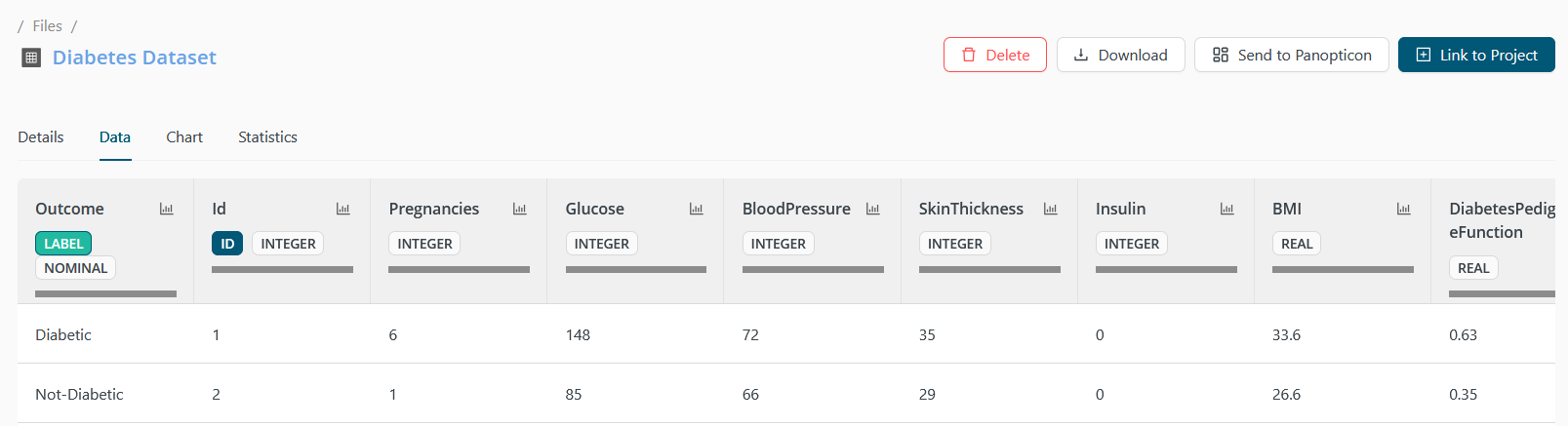
The complete visualization product has been added, significantly expanding our previous capabilities and enabling more advanced and flexible data exploration.
Panopticon is now added to our left menu from where you can open it with SSO. The Datasets in AI Cloud can be sent to Pano with a simple button, making it easier to start with visualizations right away. Further improvements are planned for deployments to be available from Pano just as easily. Read more
New, More Intuitive UI
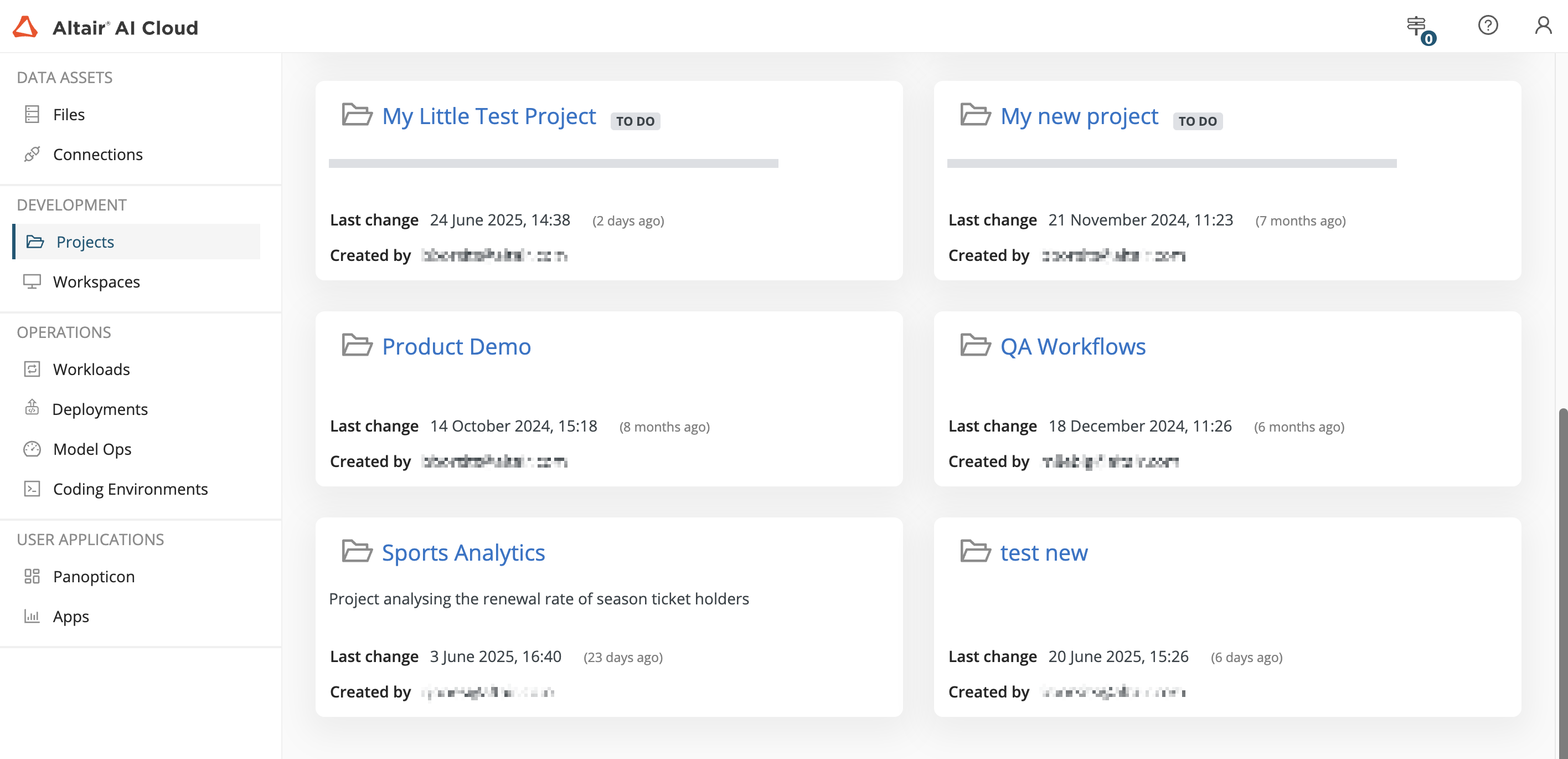
Redesigned UI for clearer navigation and easier access to key features, enabling more intuitive interaction with AI Cloud.
We've brought features front and center into a contextual menu, moving them out of hidden tabs, and introduced full-screen editors so you can focus on your work. This refresh offers a more straightforward overview and intuitive experience, laying the groundwork for exciting future enhancements.
Workflow Annotation
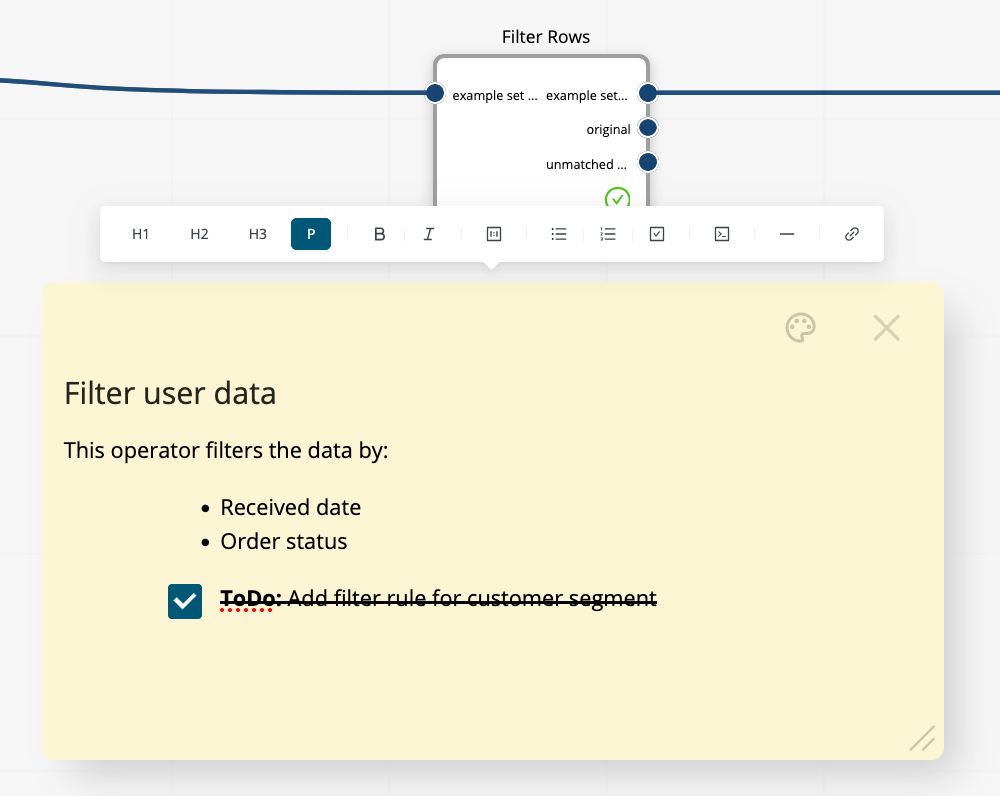
Document important information directly inside workflows.
With notes users can annotate their workflows. Feature rich styling options allow you to fully express your thoughts and document your work.- Rich styling options for clearer documentation.
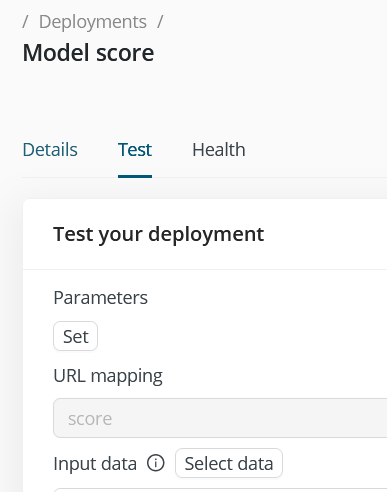
Test page improvements for AI Cloud API deployments
Ease integration work by validating how the deployment handles real data and configurations.
Users can select a dataset from the project to see how it's transformed to match the expected API input format. The test page also supports testing with parameters, showing how these are expected in the request header. Read more
New input and output format support for API deployments
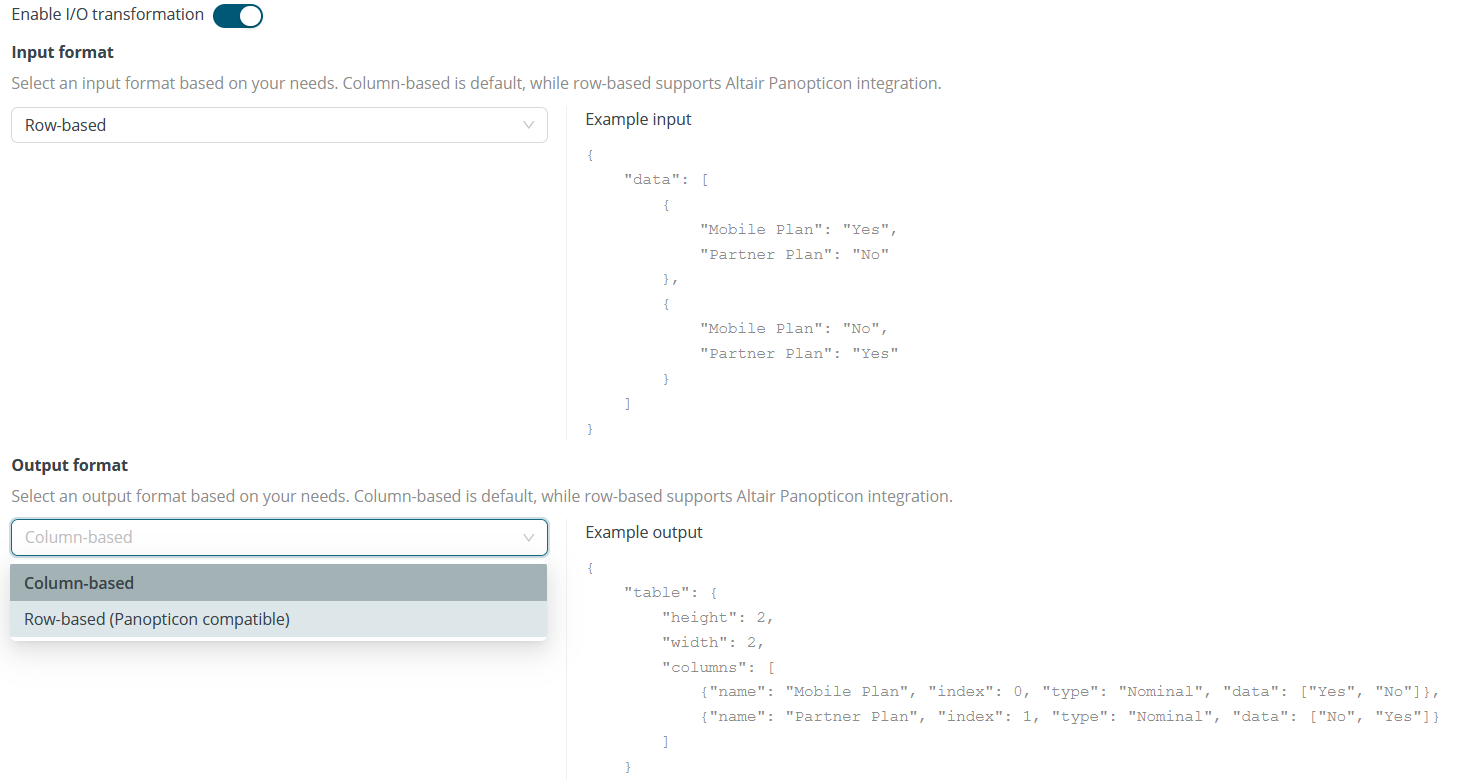
Simplifying integration to external systems by adhering to other expected data structures.
Users can now choose between row-based or column-based input and output formats for API deployments, with simple examples provided in the interface for clarity. Additionally, heuristics have been introduced to automatically detect common data types—such as integer, nominal, and date—in both inputs and outputs. Read more
LLM connection automatic creation
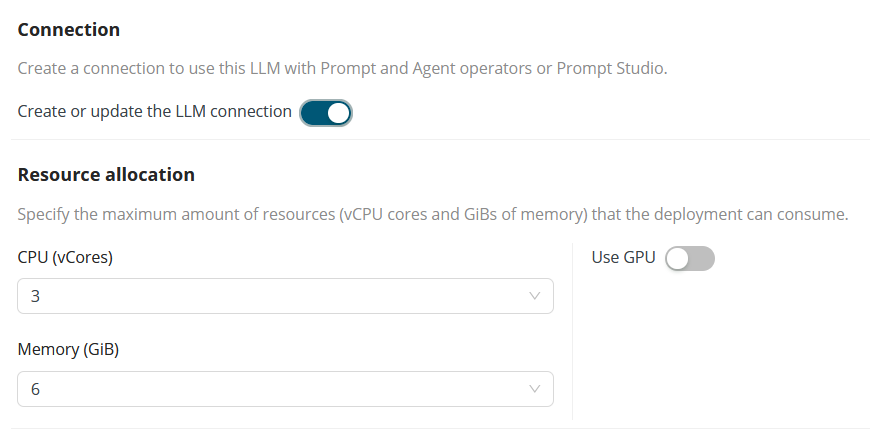
LLM deployments now automatically create a corresponding connection, making it seamless to use the model across the platform—such as in Prompt Studio or other tools.
Automatic connection creation replaces the previously manual and complex setup, saving time and reducing configuration errors. The created connection then can be shared with other Projects and users, just like any other connection. Read more
Notebooks in Workspaces
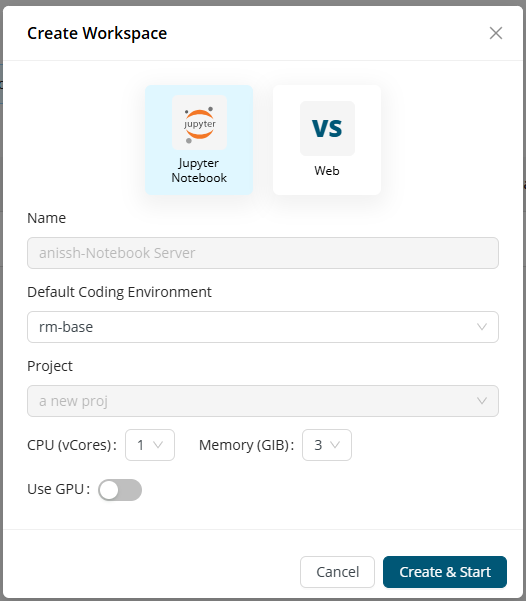
Workspaces feature now provides users to configure the choice of their IDE to be used with the project with their choice of resource settings (including GPU).
Currently, we only support one notebook server for each user for a project.
Security updates
Regular security updates help protect users by addressing vulnerabilities and reducing the number of known CVEs, ensuring a safer and more resilient software experience.