Agent
Features
You can deploy an agent as an endpoint, so it's reachable from external sources and users can directly interact with the agent, without the need to go to Agent Studio. The agent can also easily be integrated in other tools, like a chat interface.
Compared to REST API deployments for workflows, Agent Deployments have some additional options to consider.
When an Agent Deployment is created, a dedicated, isolated container will be provisioned and will be ready to serve requests exclusively for the deployed agent. This also means, that any additional flows that the agent uses needs to be specified. The same is true for any variables, like stored API access keys.
The deployment will have its own, unique address. This address can be secured (see Security) or made accessible publicly on the Internet. This address will be automatically generated when the deployment is created. This unique external address can be reused from other deployments, which can be useful in certain scenarios. For more details, see external address management.
Inputs and outputs
The input and output of an agent is normally a text message. The exact content can vary, depending on the task. It could be a simple instruction, like "Get me the status of the shop floor." or more complex tasks that can also include data (mostly in the form of JSON). The response format can also be a simple text response or include additional details for a chat interface (for the different response option check the "testing" section below).
Create a deployment
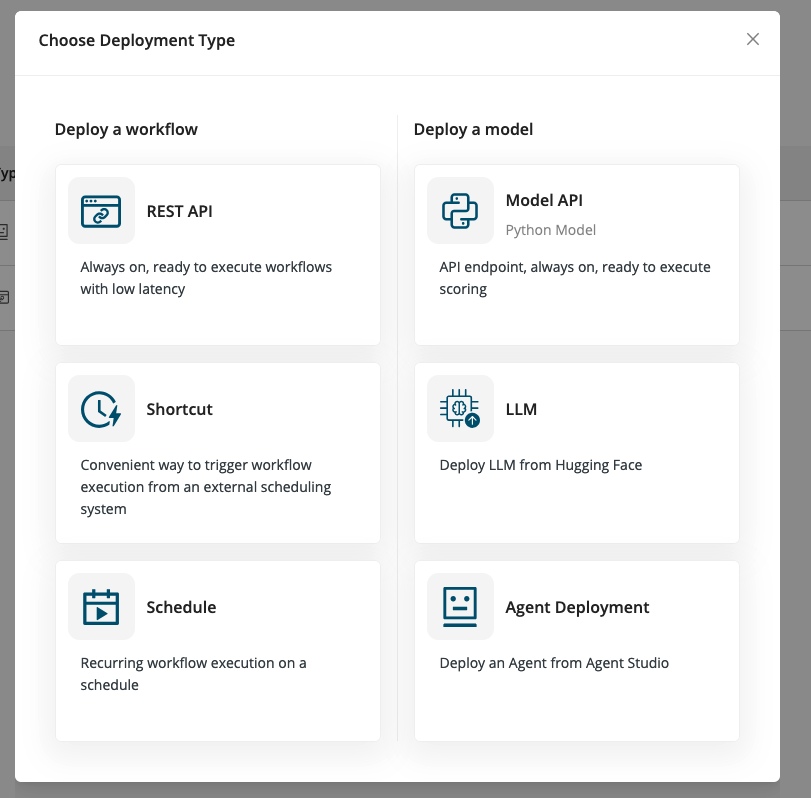
When you create a deployment, select Agent Deployment as your deployment type.
-
Name - Give your deployment an arbitrary name.
-
Agent Flow - Select the agent flow you wish to deploy.
-
Description (optional) - Describe what the workflow does.
-
External address - Choose Generate new for a new deployment. More complex cases will be explained below.
-
Additional Agent Flows - If your agent needs further flows, for example sub-agents, provide them here.
-
Add Variables - Select any variables your agent is using. Without providing them, your agent will probably not be able to connect to all required services and tools.
-
Security - You can add a layer of security for your endpoints (this setting is enabled by default; it can be disabled if simpler access is preferred).
-
Resource allocation - Select the resource quota the deployment is allowed to consume.
Start the deployment
Click Deploy to start the deployment.
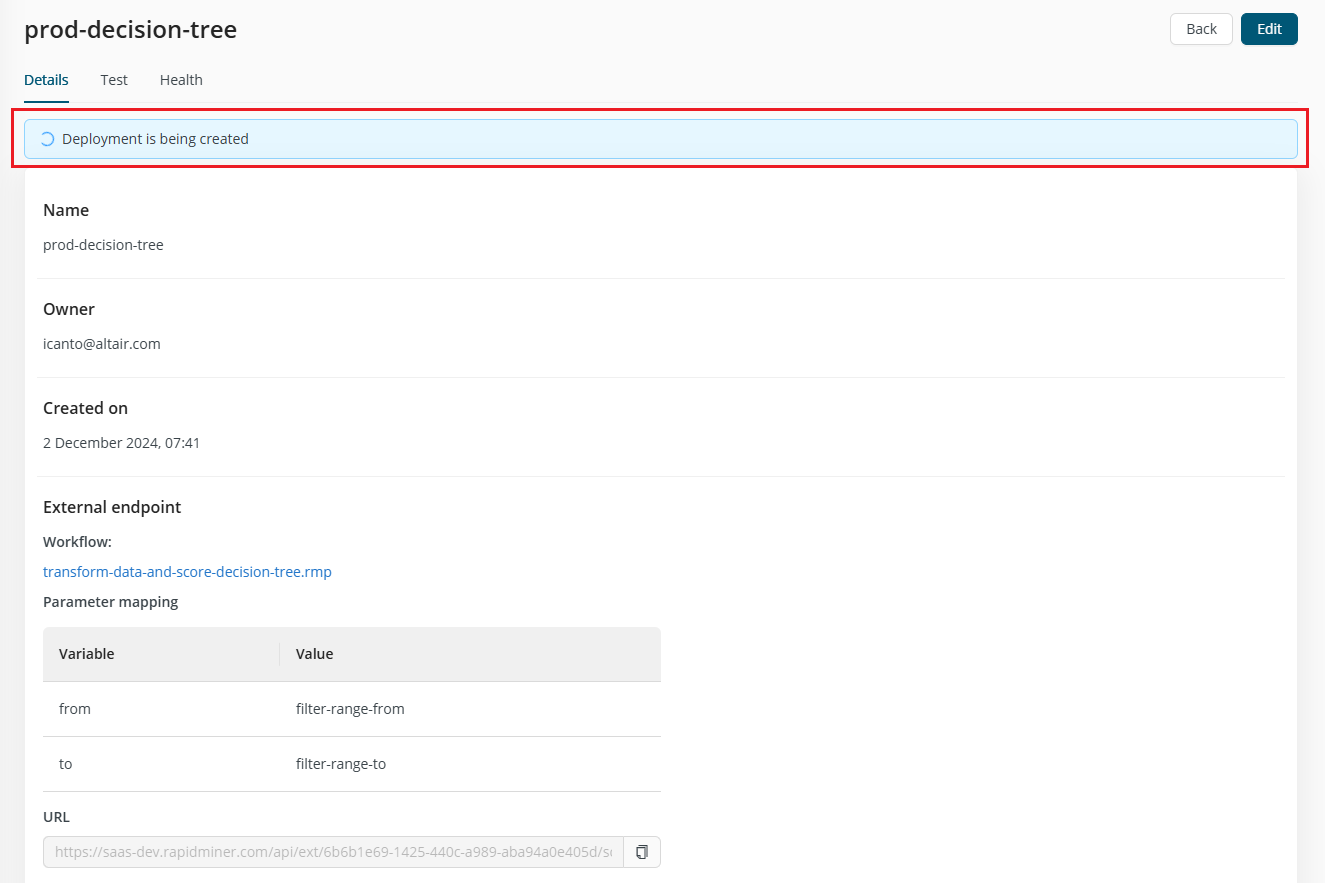
After deployment, you are directed to the Deployment feedback screen, which clearly indicates whether your deployment is ready to use.
Test your deployment
Once the Agent Deployment is up and running, you’ll be able to test it internally within Rapidminer® AI Cloud software or externally with a curl command for example. The Test tab of the deployment is created to help in both cases.
An Agent Deployment is smarter than a simple REST API deployment in the sense, that it keeps the context of previous sessions (conversation history). This is quite important to have a meaningful interaction with the agent, otherwise it would always forget your previous statements.
But this also means, that if a deployment is used by multiple users, that ideally the sessions should be seperated (to keep the context clear, avoid any misunderstandings or in the worst case leak sensitive information to other users).
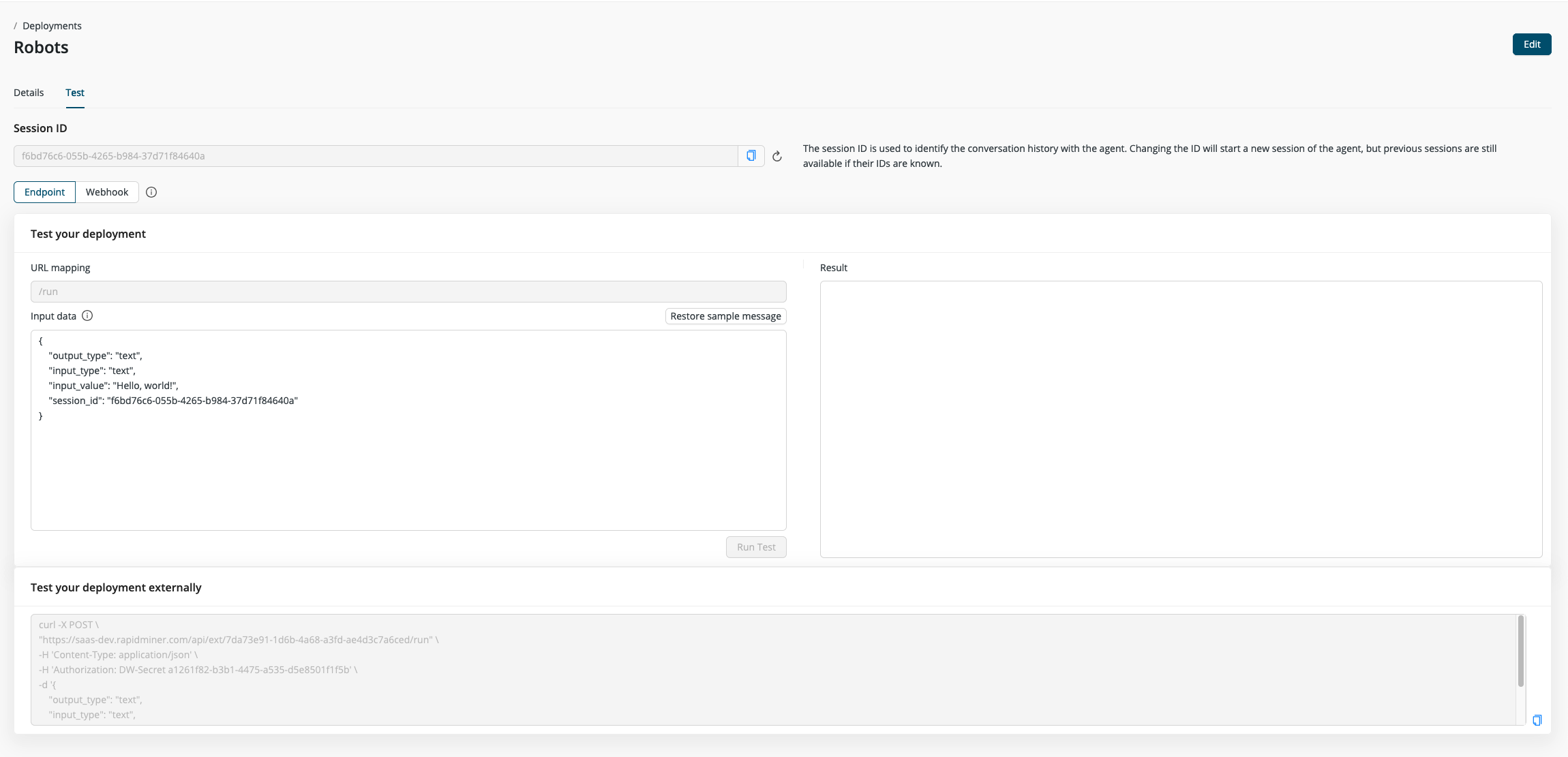
Every interaction with a deployed agent requires an unique session ID as part of the request sent to the deployment. The session ID has to be in the common UUID format.
On the test page there is session ID pre-generated for easy testing, but you can also easily generate a new one.
Testing an Endpoint
This is the regular deployment option for an agent with which the users can interact and the agent can respond to requests. The input data contains a sample JSON message as it would be used in the curl command.
The content sent to the agent is specified in the "input_value" field. Depending on the agent and use case it can be a simple text message or more complex input like a JSON file.
The two other important options are input and output type and their values can be either "text" or "chat".
- Chat Input/Output: is used for conversational interactions, handling cumulative dialogues.
- Text Input/Output: handle simple string input/output without the additional context or metadata.
Testing a Webhook
In case the Agent Flow referenced in the Agent Deployment contains a webhook component, it can also be triggered externally. In this case the deployment won't send a response beyond that the data was sent to the webhook. Note that calling the Agent Deployment's webhook endpoint requires a session ID, similar to the mechanism as regularly calling the Agent Deployment would.