Tableau
The Tableau extension helps you to seamlessly integrate your data workflows with Tableau Server. This extension provides a suite of operators designed to interact directly with Tableau workbooks, data sources, and Hyper files, streamlining your data preparation and analysis processes.
Key Capabilities
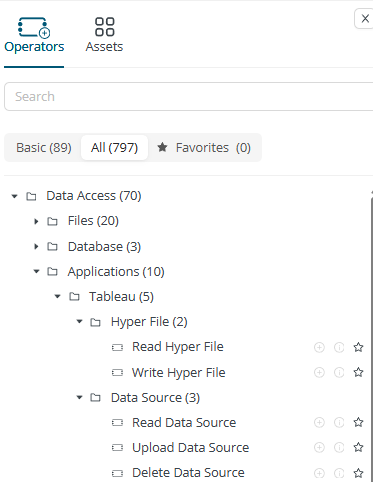
The Tableau Extension offers direct access to your Tableau Server through the following operators:
- Read Hyper File: Import data from Tableau .hyper files into Rapidminer® AI Cloud software.
- Write Hyper File: Export data from Rapidminer AI Cloud to Tableau .hyper files.
- Read Data Source: Retrieve data from existing Tableau Data Sources.
- Upload Data Source: Publish Rapidminer AI Cloud data as a new Tableau Data Source.
- Delete Data Source: Remove Tableau Data Sources from your server.
Connecting to Tableau
To begin using the Tableau Extension, you'll first need to establish a connection to your Tableau Server within Rapidminer AI Cloud,
-
Go to Data Assets > Connections, create a new connection, and select Tableau.

-
Connection Name: Provide a descriptive name for your Tableau connection (e.g., "My Tableau Server," "Production Tableau").
-
Configure the API endpoint and Default Site ID and select the proper authentication method. Currently, username/password and personal access token methods are supported.
- API Endpoint: Enter the URL for your Tableau Server’s API endpoint.
- Default Site ID: Specify the default site you wish to connect to.
- Authentication Method: Choose your preferred authentication method. The extension currently supports the following methods:
- Username/Password: Authenticate using your Tableau Server username and password.
- Personal Access Token (PAT): Use a Personal Access Token for secure authentication.
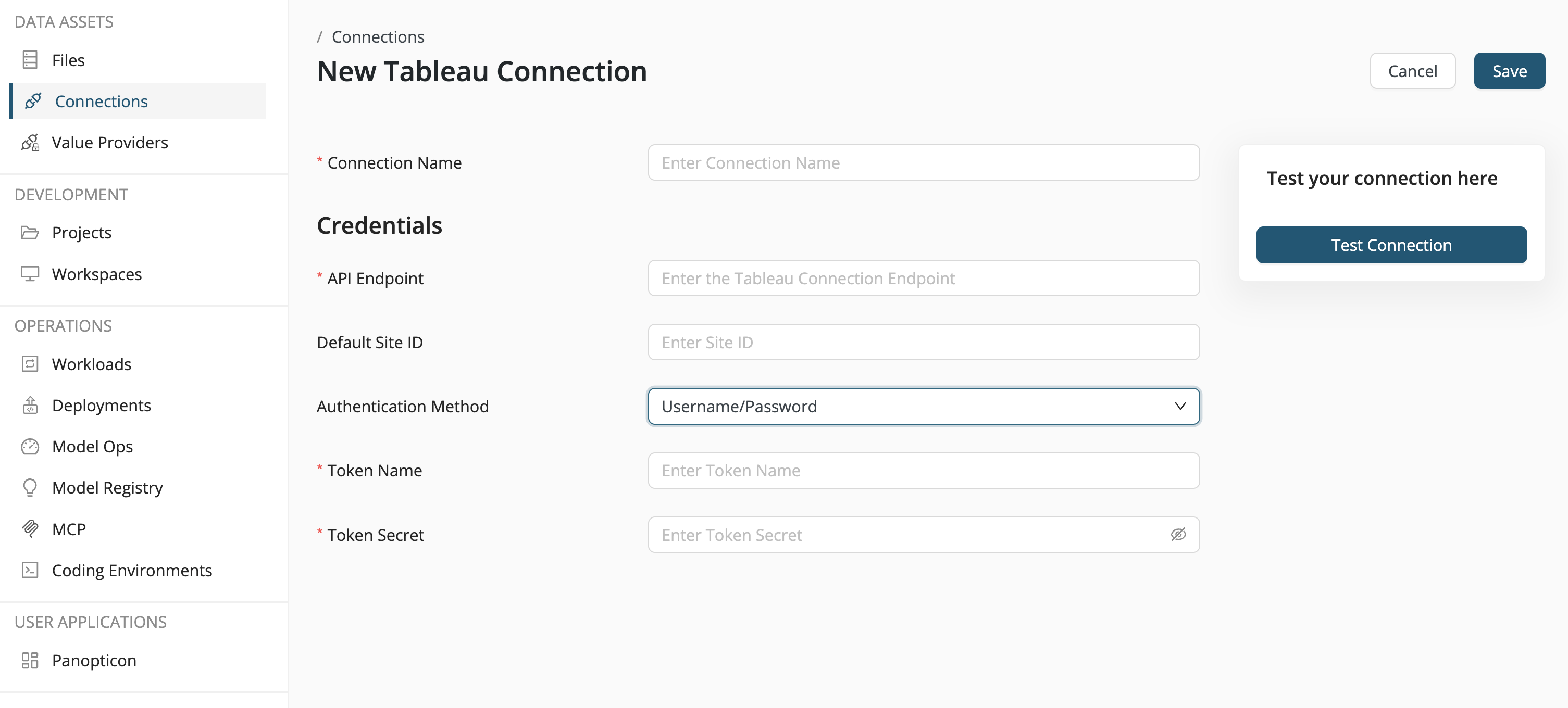
Tableau Operators in Detail
Let’s explore each operator and its function.
Read Hyper File
The Read Hyper File operator allows you to read a Hyper file stored on Rapidminer AI Cloud and load it as a Rapidminer AI Cloud data table.
- Input: Requires a Hyper file as input.
- Parameters: Configure the schema and table parameters to accurately read the data from within the Hyper file.
Write Hyper File
The Write Hyper File operator converts a Rapidminer AI Cloud data table into a Hyper file. You can also append data to an existing Hyper file.
- Functionality: Converts a data table to a Hyper file.
- Appending Data: To append to an existing Hyper file, set the Append parameter to true and provide the existing Hyper file as an input.
Read Data Source
The Read Data Source operator enables you to read data directly from a Tableau Data Source on your Tableau Server.
- Input: Connect a Tableau connection (established as described above) to the input port.
- Parameters: Specify the following parameters to locate and read the data source:
- Site ID
- Project Name
- Data Source name
- Schema
- Table
Upload Data Source
Publish your Rapidminer AI Cloud data as a new Tableau Data Source on your Tableau Server using the Upload Data Source operator. It converts your data into a Hyper file internally before uploading.
- Input: Connect a Tableau connection and the data table you wish to upload to the input ports.
- Parameters:
- Data Source name
- Site ID
- Project name
- Mode Options: Select how the data source should be handled on the server:
- create: Creates a new data source.
- create or override: Creates a new data source, or overwrites an existing one with the same name.
- append: Appends data to an existing data source.
Delete Data Source
The Delete Data Source operator allows you to remove an existing data source from your Tableau Server.
- Input: Connect a Tableau connection to the input port.
- Parameters: Specify the following parameters to identify the data source to be deleted:
- Site ID
- Project Name
- Data Source name